

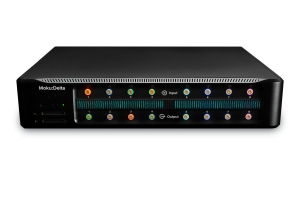
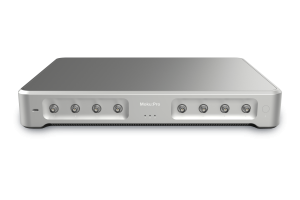

This recap and Q+A complements our webinar, entitled Automating experiments with the power of MATLAB and reconfigurable instrumentation. If you weren’t able to attend live, you can register now for on-demand access. In addition to a webinar summary, we’re providing in-depth answers to select audience questions below.
Webinar recap
During this presentation, engineer Hank Long showed users how to utilize MATLAB to implement an experimental control stack with Moku, a family of reconfigurable, FPGA-based instruments, to maximize efficiency and speed. He covered how to get started with the Moku MATLAB API, from basic installation to connecting and configuring instruments. Hank walked through MATLAB scripts to perform automatic noise floor analysis, frequency sweeps with the Moku Lock-in Amplifier, and data streaming using Moku devices.
Audience questions
Can’t you just use the get_data() function and store the data in a matlab variable in real time? What is the difference between methods to get the data?
Yes, you could use get_data() as well as the methods used in the webinar demo. However, get_data() is usually used for quick, real-time data acquisition. It doesn’t have full resolution of the data frame like save_high_res_buffer() does. For example, if we use deep memory mode in the Moku Oscilloscope that provides 33.6 million data points using Moku:Pro, we would not get the full resolution using get_data() – we would only get up to 16,384 points, with 1024 points as the default. So, we can use all of the on-board memory if we use save_high_res_buffer(). You can learn more on our API reference page and the Knowledge Base.
Is the MATLAB API connection through Wi-Fi?
Yes, the connection is done through Wi-Fi. You can use a USB connection as well.
Can we operate two instruments in one for loop, such as the Waveform Generator and Oscilloscope in one for loop?
Yes, you can. To set up Multi-Instrument Mode and run multiple instruments simultaneously, see the API reference guide here.
How do you perform algebraic operations and then send the result as an analog output?
This is a common question – the math function occurs on the client side in software, not on the firmware side. This means if you perform a math function, it is not sent to the FPGA, so the results cannot be sent to the analog outputs. To perform math functions using the FPGA, we recommend using Moku Cloud Compile (MCC). This would perform algebraic functions using the FPGA.
How do we understand the gain inside the Digital Filter Box or the Lock-in Amplifier? Is it just a multiplication of the whole signal, given that it is a digital operation?
The input and output ports on Moku have 16-bit resolution, but the internal signal processing resolution is much better than 16-bit. The output will simply be the 16 most significant bits (MSB) of the internally processed data. Consider this situation: the output is 2 Vpp, 16-bit depth, so the resolution would be around 30 uV. If we apply a 0 dB (1x) at the output gain, the equivalent resolution would simply be 30 uV. If we apply 20 dB (10x) gain at the output, the equivalent resolution will be 3 uV. The limit of the equivalent resolution will be the true resolution of the internal processing algorithm. However, the limitation of this approach is the reduction of dynamic range. The output is still 16-bit, so the equivalent dynamic range will be 65,536 * equivalent resolution. Therefore, the equivalent dynamic range drops to 200 mV if we use a 20 dB gain. For more insightful demonstrations, check out our webinar library for on-demand viewing.
More questions?
Get answers to FAQs in our Knowledge Base
If you have a question about a device feature or instrument function, check out our extensive Knowledge Base to find the answers you’re looking for. You can also quickly see popular articles and refine your search by product or topic.
Join our User Forum to stay connected
Want to request a new feature? Have a support tip to share? From use case examples to new feature announcements and more, the User Forum is your one-stop shop for product updates, as well as connection to Liquid Instruments and our global user community.