
Please update your browser. For the best Liquid Instruments experience, update to the latest version of Chrome, Edge, Firefox, or Safari. Update Microsoft Edge.
Liquid Instruments Logo
Products
Hardware Platforms
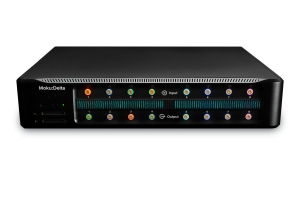
Moku:Delta
Moku:Delta
New
For advanced design and validation
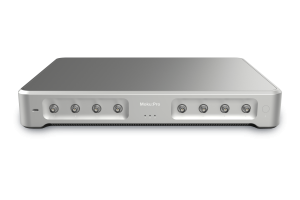
Moku:Pro
Moku:ProFor versatile test and measurement
Moku:Lab
Moku:LabFor experimental research labs
Moku:Go
Moku:GoFor quick testing and debugging
Compare Hardware
Compare HardwareView a side-by-side of all Moku hardware
Technologies
GenInst Studio
New
Generate personalized instruments
Integrated InstrumentsProfessional-grade instruments at your fingertips
Neural NetworkFPGA-powered neural network integration
Multi-Instrument ModeCombine instruments to create a customized test system
Moku CompileCode, compile, and deploy to your Moku's FPGA
Software
MokuOSDownload the Moku app for Windows, macOS, iPadOS & visionOS
APIsPython, MATLAB, LabVIEW
UtilitiesCommand line and graphical tools for file conversion
Instruments
Analysis
Oscilloscope
Spectrum Analyzer
Frequency Response Analyzer
Lock-in Amplifier
Phasemeter
Logic Analyzer / Pattern Generator
Time & Frequency Analyzer
Data Logger
Generation
Waveform Generator
Arbitrary Waveform Generator
Control & Conditioning
PID Controller
Digital Filter Box
FIR Filter Builder
Laser Lock Box
Custom & Utility
GenInst Studio
New
Gigabit Streamer
Custom Instrument
Neural Network
Multi-Instrument Mode
Applications
Optics and Photonics
Microscopy and Spectroscopy
Photon Counting
Quantum Optics
Aerospace and defense
A&D Instrumentation
Component Test
Automated Testing
Semiconductor Test
Control Systems and Bode Analysis
MEMS Testing
AI and Machine Learning
Generative Instrumentation
New
Neural Networks
Education
Education and Research
Resources
App Notes
Blog
Case Studies
Coursework
Guides
Product Documentation
Publications
Webinars
White Papers
Support
Company
Contact Us
About Us
Leadership
Partners
News & Updates
Press
Events Calendar
Careers
Store
Moku:Delta
Moku:Pro
Moku:Go
Upgrade Moku:Pro
Upgrade Moku:Lab
Upgrade Moku:Go
0
Get a quote Buy Now
Build personalized instruments with GenInst Studio in minutes, not months. | Register for the webinar
Blog

Mastering Moku: Introducing the Neural Network: Q&A recap

Learn about neural network model sizes and specifications, what types of neural networks Moku supports, and more

November 8, 2024

    This recap and Q+A complement our webinar, Mastering Moku: Introducing the Moku Neural Network, on November 6, 2024. If you weren’t able to attend live, you can watch the webinar on demand.

    In addition to a webinar summary, we’re providing in-depth answers to select audience questions below.

    Webinar recap

    During this presentation, we introduced the new Neural Network instrument available in Multi-Instrument Mode on Moku:Pro devices. We introduced the concept of FPGA-based neural networks, including how they enable real-time, deterministic network operation. 

    In a live demonstration, we then built, trained, and deployed two different neural network models: a weighted sum and an autoencoder, also known as a denoiser. Using these two models in the Moku Neural Network, we tested multiple waveforms to demonstrate the ability of the Neural Network instrument to make real-time inference.

    Audience questions

    Can you provide links to the Github examples used in the webinar?

    Find the weighted sum example here, and the autoencoder example here. For a detailed walk-through of the weighted sum example, follow along in this blog.

    Should the user design the model architecture in Moku:Pro prior to uploading .linn file?

    The model architecture is fully defined in a Python script before uploading the .linn file to Moku:Pro. This allows you to fully define and train your network, generating a .linn file containing the required weights, biases, and model definition. Once the .linn file is uploaded to the Moku:Pro Neural Network, you can run the model in real time.

    If you input two sine waves, can the Neural Network act as a lowpass filter?

    Yes, this is one of the possible applications for the Moku Neural Network. Users have the choice to implement simple filters on the Moku Digital Filter Box as well, but can also train a network model to act as a lowpass filter by modifying the autoencoder example or creating their own.

    How complex can the model be (e.g., transformer)?

    A transformer is the type of model used for large language learning models like ChatGPT. It tracks relationships in sequential data and is able to learn context in data, like words in a sentence. These types of models are very complex and require significant training time and data. The Moku Neural Network, which currently supports fully connected networks, does not support transformer models since its purpose is signal processing. The FPGA-based architecture allows users to perform real-time signal processing and inference on discrete values and signals. 

    What is the limit on the size of a model in MB? Can we upload a U-net model?

    The limit on the size of a neural network model that you can upload to the Moku Neural Network is more likely to come from the network dimension limits rather than a file capacity. The network dimensions allow users to upload a model of up to five densely connected layers of up to 100 neurons in each layer, amounting to just over 50,000 coefficients.

    A typical U-net model requires both convolutional layers and skip layers, which we do not currently support. If you have specific requirements, let us know. We’ll be sure to capture all feature requests to consider for future software development.

    Thank you for viewing our webinar. We look forward to seeing you again.For more insightful demonstrations, check out our webinar library for on-demand viewing.

    More questions?

    Get answers to FAQs in our Knowledge Base

    If you have a question about a device feature or instrument function, check out our extensive Knowledge Base to find the answers you’re looking for. You can also quickly see popular articles and refine your search by product or topic.

    Join our User Forum to stay connected

    Want to request a new feature? Have a support tip to share? From use case examples to new feature announcements and more, the User Forum is your one-stop shop for product updates, as well as connection to Liquid Instruments and our global user community.

    Try Moku in demo mode Download the Moku app → Get answers to FAQs Visit Knowledge Base → Connect with Moku users Join the user forum →

    Other Recommended Blog Posts

    Blog
    What is Generative Instrumentation?

    The AI-enabled technology for creating customized test solutions, including specialized measurements, real-time signal processing, and control capabilities

    Date: July 14, 2026

    Blog
    5 Advantages of FPGA-Based Customization for Test & Measurement

    How instruments with user-programmable FPGAs are replacing racks of test equipment, and what that means for your lab.

    Featuring: Moku Cloud Compile

    Date: May 22, 2026

    Blog
    Faster, more powerful real-time customization with MokuOS 4.2

    MokuOS 4.2 unlocks higher bandwidth, faster real-time processing, and more instruments on Moku:Delta, all with a simple software update.

    Date: March 19, 2026

    Back to all Blog

    Nav

    • Products
    • Instruments
    • Resources
    • Support
    • Company
    • Contact Us
    • Privacy Policy
    • Terms of Use

    Offices

    United States
    (619) 332-6230
    12526 High Bluff Dr.
    Suite 150
    San Diego, CA 92130

    Australia
    +61 2 6171 9730
    243 Northbourne Avenue
    Suite 1, Level 1
    Lyneham, ACT 2602

    Australia
    +61 3 7073 3594
    Suite 5C, Level 5,
    700 Swanston Street,
    Carlton, VIC – 3058


    Follow us

    LinkedIn YouTube X Facebook Instagram

    官方微信

    © 2026 Liquid Instruments. All rights reserved.