


Introducing the Moku Neural Network
Moku:Pro now offers the Moku Neural Network, a low-latency neural network connected to sensors and actuators. Benefiting from the versatility and fast processing speed of an FPGA, plus seamless integration with other Moku instruments, this versatile tool unlocks machine-learning-assisted signal analysis, denoising, sensor conditioning, closed-loop feedback, and more. You can now quickly develop and train your own neural networks with Python and upload them to Moku:Pro, using the Moku Neural Network in Multi-Instrument Mode. Featuring up to five fully connected layers of up to 100 neurons each with customizable activation functions, this instrument accommodates a wide variety of applications. Analyze up to four input channels in parallel mode, or process time series data in serial mode, with up to four outputs for processing experimental data in real time — all on Moku:Pro. Looking to dive deeper? Check out our blog to learn ways that neural networks can help with your research, and the advantages of an FPGA-based approach. Want to get started using the Moku Neural Network? Follow along with our step-by-step guide. Prefer a video tutorial? Watch our webinar on demand. You’ll learn how to implement an FPGA-based neural network for fast, flexible signal analysis, closed-loop feedback, and more.
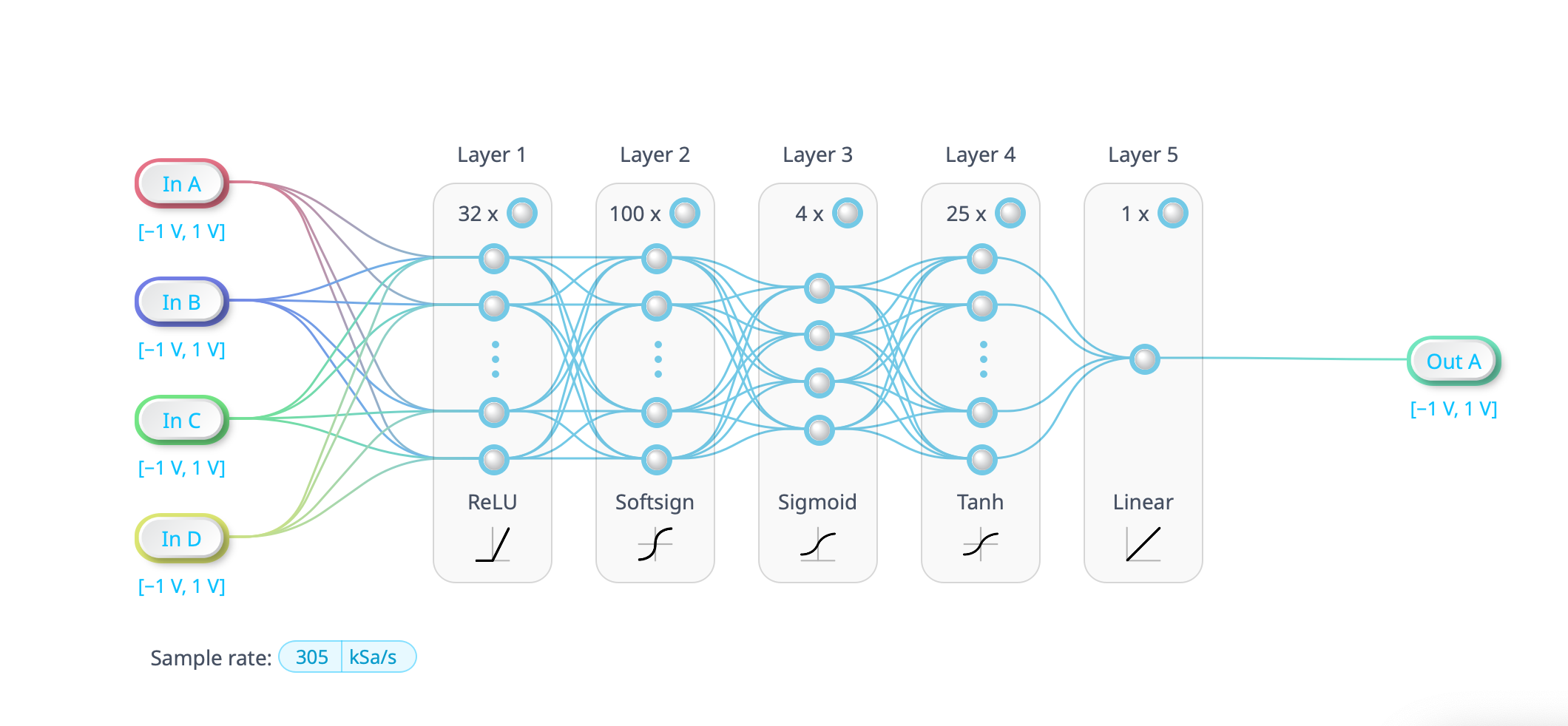
The Moku Neural Network has an architecture that includes input, hidden, and output layers, as well as customizable activation functions.
Find answers fast with the new AI Help tool
Moku devices now offer AI Help, a built-in, AI-powered search feature available in all supported languages that delivers fast answers to common queries, helping you save time and increase efficiency in the lab. Trained on Moku product documentation as well as the Liquid Instruments website and Knowledge Base, this tool provides detailed instructions and tips for configuring and troubleshooting your Moku device, plus information about pricing, resources, events, and more. Rather than reading through datasheets and user manuals or browsing the website, simply type your question into the Moku: app home screen to receive a quick response.
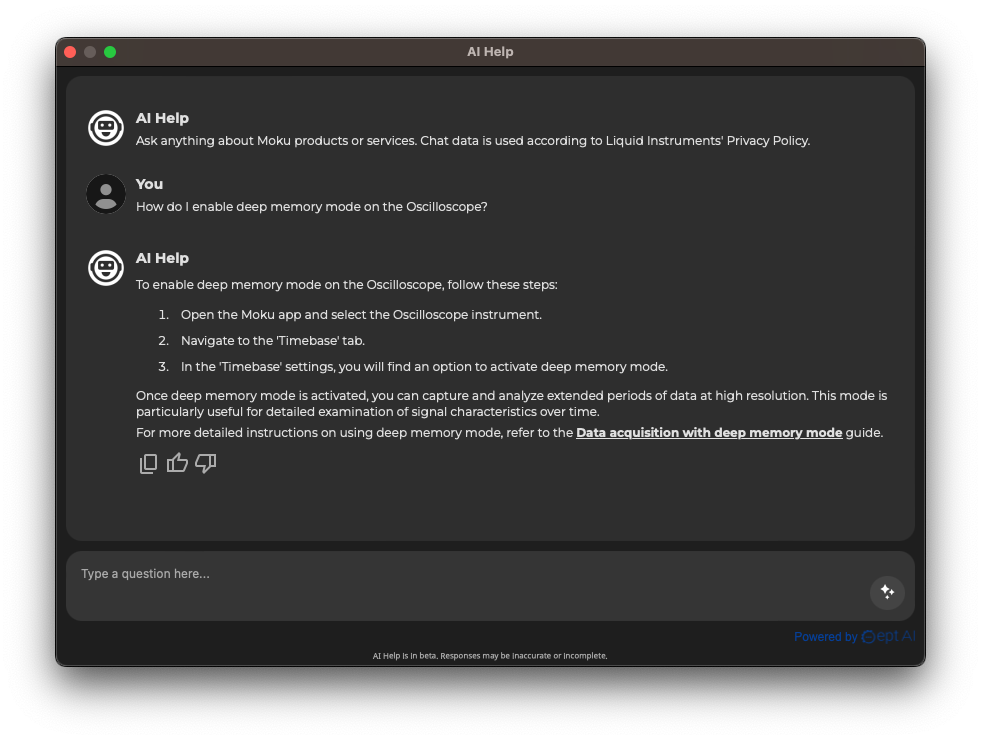
Use the built-in AI Help tool for helpful instrument configuration tips, to quickly find answers to your questions, and more.
Other improvements
Higher-order filters in the Moku Digital Filter Box The Moku Digital Filter Box is also getting improvements with the addition of higher-order filters. Users can now leverage even better performance from digital filters, with improved band-stops and band-passes, sharper corners, and cleaner data. The filter configuration screen now allows you to specify filters up to the 16th order on Moku:Pro, or up to the 12th order on Moku:Lab and Moku:Go. Triggered start data logging now available with an external trigger You can now trigger the Moku Data Logger instrument, as well as all Data Loggers embedded in other Moku instruments, with an external source. Using the trigger port on your Moku:Pro or Moku:Lab device, it’s easy to synchronize data collection with real-time events happening in your experiments. In Multi-Instrument Mode, instruments can be triggered simultaneously. For example, several instances of the Moku:Pro Lock-in Amplifier can demodulate four different signals and begin logging data synchronously. Double the Oscilloscope channels in Multi-Instrument Mode The Oscilloscope and Data Logger, as well as Moku Cloud Compile, now give you access to four channels (previously two) in Multi-Instrument Mode on Moku:Pro, allowing you to monitor more signals without using additional slots. In addition, you can quickly make configuration changes in Multi-Instrument Mode without closing the instrument windows.
Upgrade your Moku with a simple software update
For Moku:Pro Full-suite Bundle users, the Neural Network is available free of charge. It can be added to the Moku:Pro Base Bundle with a license update. Visit our webstore or contact your account manager or Moku distributor for more details. For the instruments that you already own, all other new features are available for free with a software update to Moku Version 3.3. You can download the Windows and macOS app updates here, or the iPadOS and visionOS app updates here. To interface with the Neural Network, you’ll also need to update to the latest Python API. For step-by-step instructions, click here. For step-by-step instructions on updating your Moku device, check out this article on our updated Knowledge Base, with over 300 recently refreshed and revised articles.
Questions?
Join our User Forum to stay connected Want to request a new feature? Have a support tip to share? From use case examples to new feature announcements and more, the User Forum is your one-stop shop for product updates, as well as connection to Liquid Instruments and our global user community.