


Introduction
Triggering is critical for capturing signals of interest, making accurate, repeatable measurements, and synchronizing multiple test system components. The time-sensitive nature of triggering requires trigger logic to be implemented in hardware on an ASIC or FPGA to achieve the low-latency, deterministic performance needed. Historically, this has meant significant HDL expertise and development effort, making user-defined triggering impractical for many teams. Generative Instrumentation (GenInst) enables engineers to describe desired trigger behavior in natural language without the need for FPGA expertise or complex tools. Instead of navigating HDL development, iterating through hardware revisions, or adding expensive and limited add-ons to their standard instruments, engineers can rapidly prototype, refine, and deploy custom triggers that exactly match their application needs.
The challenge of complex triggering
Engineers frequently need to monitor multiple signals, apply independent thresholds, incorporate timing requirements, and distribute trigger events throughout a larger measurement system, for applications like:
- Environmental monitoring systems
- Power electronics testing
- Aerospace sensor validation
- Industrial automation
- Multi-channel fault detection
Traditional instruments typically provide:
- Single-channel threshold triggers
- Limited logical combinations
- Fixed triggering architectures
When more sophisticated behavior is required, engineers often resort to:
- External hardware with complex integration and synchronization
- FPGA development requiring specialized HDL expertise
- Software-based triggering introducing latency and non-deterministic timing
To implement a complex, advanced trigger like this today, an engineer has three primary options.
- Implement the logic in custom HDL on an FPGA evaluation board. This produces a deterministic, hardware-speed trigger, but it requires two to six weeks of Verilog or VHDL development, simulation, timing closure, and integration with the rest of the bench. The resulting IP is often single-author and difficult to port when the team upgrades hardware.
- Advanced-trigger packs from major scope manufacturers cover some of the surface area but are locked to specific instrument SKUs and licensed per seat. They rarely expose per-channel time qualifiers with per-channel reporting, and adding a new trigger condition typically means a service call or a feature request.
- Software-side logic in LabVIEW or Python is the fastest of the three to implement, but it introduces driver and OS latency, won’t trigger reliably at hardware-event timescales, and creates a brittle script that only the original author can safely modify.
What is Generative Instrumentation?
Rather than using the fixed instrument functionality on your bench, Generative Instrumentation allows engineers to define:
- Inputs
- Outputs
- Trigger behavior
- Timing requirements
- State machine behavior
- Re-arm conditions
using natural language. Once defined, the user walks through a guided specification process to fully scope project requirements. GenInst then designs, tests, and builds the custom trigger instrument that’s ready to deploy to reconfigurable Moku hardware.
Multi-input custom trigger example walkthrough
Prompt:
“I would like to build a 4 input trigger where I can specify the individual thresholds for each input channel. I should be able to specify the total time above threshold before the trigger trips as well. When the trigger is tripped, OutputB[14] should go high. I would also like to keep track of which input channels tripped their independent triggers on OutputB[3:0].”
- Describe the trigger requirements in plain language
2. GenInst asks questions and gathers context, defining the instrument specifications and requirements with your input through a collaborative process.
3. Build, validate, and iterate. GenInst builds a comprehensive plan including instrument documentation, edge case handling, and a full testbench to validate the instrument. Once you approve, it begins agentically building, testing, and improving the instrument.
4. Deploy to Moku alongside pre-built instruments; your instrument is now hardware-deployed and fully disconnected from AI, meaning your results are truly deterministic.
Instrument requirements
The instrument was designed to:
Monitor four independent inputs
Each channel has:
- Independent voltage threshold
- Independent timing qualification
- Independent trigger status indication
The instrument produces a single trigger output when trigger conditions are satisfied on any of the monitored inputs.
Report trigger source information
OutputB[3:0] provides visibility into which channels exceeded their thresholds.
Support instrument synchronization
The generated trigger can be routed to:
- External trigger inputs
- Other Moku instruments
- Additional acquisition systems
Once deployed, the final instrument is not just a direct translation of the original prompt. GenInst suggested:
- Additional trigger configurations
- Alternative threshold strategies
- Re-arm behavior options
- Expanded system flexibility
GenInst acts as a collaborative design assistant rather than a simple code generator, capturing intent but providing suggestions and best-practices throughout the development process. You don’t need to be an expert in the instrument you’re building to achieve a quality result.
Example applications
Creating the instrument is only the first step. For this example, a multi-input trigger provides an advanced signal monitoring tool for applications such as: Fault detection systems: Trigger when any monitored parameter exceeds safe operating limits for a specified duration. Power electronics validation: Monitor voltage rails, sensor measurements, and switching node behavior to capture data when abnormal conditions occur. Aerospace and defense test: Combine multiple sensor channels to identify transient events. Industrial automation: Use the trigger output as a deterministic event signal for downstream instrumentation.
Conclusion
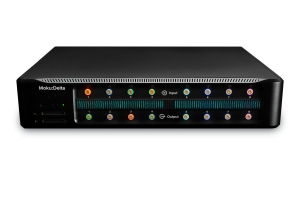
On this instrument specifically, using GenInst instead of traditional custom feature design workflows led to significant time and effort savings. Development time dropped from a multi-week FPGA effort to a same-day GenInst Studio session. The engineer wrote no HDL, no driver code, and no GUI. The trigger runs deterministically on Moku:Delta hardware with the same timing characteristics the engineer would have built by hand. More broadly, every instrument generated by the Studio is versioned and shareable. The next project that requires the engineer to adjust thresholds, change the time qualifier, or experiment with a different re-arm scenario can iterate on designs and rapidly create new custom instruments. To try GenInst Studio for free now, sign up for a trial here.
GenInst Studio FAQ
GenInst Studio is Liquid Instruments’ generative interface for Moku devices. GenInst quickly turns a plain-language description of a measurement instrument into a deployed, hardware-speed instrument, with no HDL, driver code, or GUI development required
A few hours. The same four-input variable-threshold trigger with per-channel reporting would take two to six weeks of HDL development using a traditional FPGA workflow.
The instruments you build run on any Moku device in Multi-Instrument Mode alongside other instruments.