


Stimulated Raman scattering (SRS), used in both stimulated Raman spectroscopy and microscopy, is a widely used technique for label-free chemical imaging that leverages the coherent Raman scattering process. While the spontaneous Raman effect is a weak scattering process that can take hours of signal integration time for a single field of view, coherent scattering methods like SRS provide a non-destructive, label-free technique.1 Lock-in amplifiers, namely high-frequency lock-in amplifiers, play a critical role in SRS microscopy by performing phase-sensitive detection to extract weak SRS signals from noisy backgrounds.
How does stimulated Raman scattering (SRS) work?
Basic principles
The SRS technique uses two synchronized pulsed lasers — the pump and Stokes beams — to coherently excite the vibrational modes of molecules within a sample. When the frequency difference between the two lasers matches the vibrational frequency of the target sample, the pump beam loses photons, a phenomenon known as stimulated Raman loss (SRL), while the Stokes beam gains photons. The intensity loss in the pump beam is incredibly small and requires a lock-in amplifier in order to be detected. Using a high-frequency modulation and phase-sensitive detection scheme with a specialized lock-in amplifier can help extract these signals from noisy backgrounds.2
Researchers can further enhance their setups by using multi-instrument lock-in amplifier technologies, where additional lasers and lock-in amplifiers enable imaging of different spectral regions simultaneously (Figure 1), which is particularly useful for live cell imaging and other time-sensitive experiments.
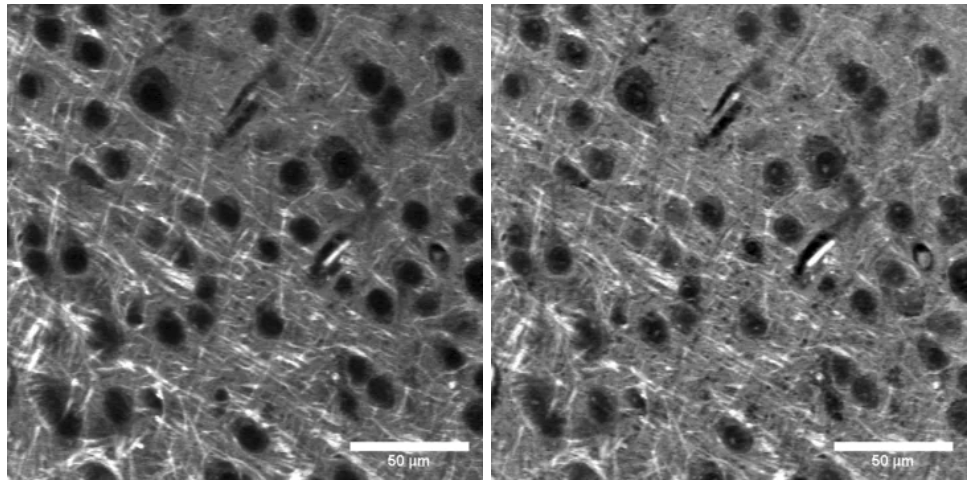
Figure 1: Simultaneous two-channel SRS images of murine brain samples at two different Raman transitions (2850 cm-1 lipid, left; 2930 cm-1 protein, right)2
The fundamentals of a lock-in amplifier for SRS
Lock-in amplifiers are especially well suited for SRS since they allow scientists to amplify signals at the frequency used to modulate the pump or Stokes beams. This approach increases the sensitivity of the measurements when measuring signal amplitude and signal phase, since lock-in amplifiers can reject noise at other frequencies, and a dual-phase lock-in lets you set the phase so the SRS signal falls in one output. Lock-in amplifiers for SRS should also contain digital filters to filter out noise and attenuate unwanted signals to enhance the signal-to-noise ratio of the measurement.
What functions do specialized lock-in amplifiers enable?
- Modulation transfer detection: In SRS microscopy, one of the laser beams (Stokes or pump) is modulated at a high frequency. The lock-in amplifier detects the modulation transfer to the other beam due to the SRS process, which is essential for observing weak signal changes.
- Dual-channel detection: Multi-Instrument Mode configurations allow users to deploy multiple lock-in amplifiers, enabling simultaneous detection of signals from separate detectors without additional hardware. This is particularly useful for experiments involving multiple Raman shifts or for imaging with different vibrational modes.
- Phase-sensitive detection: dual-phase demodulation helps separate the SRS signal from non-Raman backgrounds such as cross-phase modulation, transient absorption, and photothermal effects, which can differ from SRS in phase.
- Signal enhancement: The lock-in amplifier has the ability to filter out unwanted frequencies and amplify the signal of interest even when it may be several orders of magnitude weaker than the background noise.
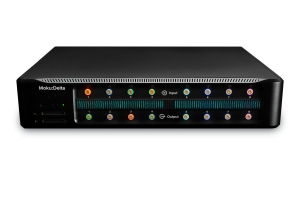
- Flexibility in experimentation: With the ability to configure the local oscillator source internally or externally, researchers can adapt the lock-in amplifier to various experimental setups and requirements. For example, the Moku Lock-in Amplifier is built on a reconfigurable FPGA, allowing users to seamlessly deploy up to 15 other software-defined instruments on the same hardware.
Setting up SRS experiments with lock-in amplifiers
How to integrate a lock-in amplifier into your SRS setup
- Set up your laser system. For SRS, you will need two synchronized pulse trains (pump and Stokes beams) that overlap on the sample both spatially and temporally. These beams should have an energy difference that matches the Raman shift of interest.
- Modulate the beams. You can modulate either the pump or the Stokes beam. For example, if you modulate the pump beam, the SRS process will induce a change in the Stokes beam, which you detect after spectrally filtering out the pump before the photodiode. This is known as stimulated Raman gain (SRG) detection.
- Configure the Moku Lock-in Amplifier in Multi-Instrument Mode, which allows you to deploy multiple Lock-in Amplifiers for simultaneous detection. This is particularly useful for SRS microscopy experiments where you might want to detect different Raman shifts or use multiple detectors.
- Optimize the detection. In the Moku Lock-in Amplifier, set the modulation frequency above the laser’s intensity noise, typically several MHz to about 20 MHz. Configure the input for AC coupling and 50 Ω to match a fast photodiode (Figure 2). Adjust the demodulation phase so the signal at your Raman shift is maximized in X and Y is near zero. Set the time constant to fit the pixel dwell time, and use an 18–24 dB/octave slope to suppress ripple, checking the output settles within each pixel.
- Monitor signals on the integrated Oscilloscope and record them with the Data Logger.

Figure 2: The input configuration of the Moku Lock-in Amplifier.
Real-world applications
SRS microscopy at the University of Washington
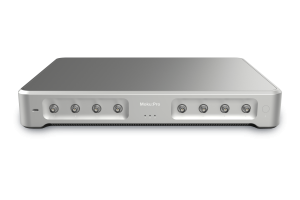
Researchers at the University of Washington use the Moku:Pro Lock-in Amplifier to identify and image biological samples. This technique is critical for chemical imaging that provides both spectral and spatial information. Learn more here.
SRS microscopy at Boston University
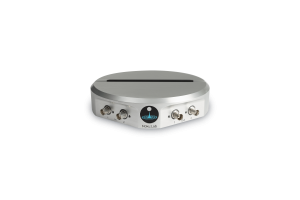
Boston University researchers use a Moku Lock-in Amplifier (LIA) for stimulated Raman scattering (SRS) microscopy experiments. Due to the extremely low intensity loss in the pump beam, a high-frequency modulation and phase-sensitive detection scheme is required to extract the SRS signal from the noisy background. The Moku:Lab Lock-in Amplifier is used to detect this modulation transfer from the Stokes to the pump beam, which is critical for the success of SRS microscopy experiments. Learn more here.
Questions?
Get answers to FAQs in our Knowledge Base
If you have a question about a device feature or instrument function, check out our extensive Knowledge Base to find the answers you’re looking for. You can also quickly see popular articles and refine your search by product or topic.
Join our User Forum to stay connected
Want to request a new feature? Have a support tip to share? From use case examples to new feature announcements and more, the User Forum is your one-stop shop for product updates, as well as connection to Liquid Instruments and our global user community.[1] Zhang, S., Song, Z., Godaliyadda, G. D. P., Ye, D. H., Chowdhury, A. U., Sengupta, A., … & Simpson, G. J. (2018). Dynamic sparse sampling for confocal Raman microscopy. Analytical chemistry, 90(7), 4461-4469.[2] B. Wong and D. Fu, “SRS microscopy experiments with Moku:Pro at the University of Washington,” Liquid Instruments, https://liquidinstruments.com/blog/2022/08/29/dan-fu-university-of-washington-customer-white-paper/ (accessed Jan. 11, 2024).